How Long Do Temporary Emails Last?
How Long Does Temporary Email Last? Understanding Temp Mail Duration and Expiry
Ever wondered how long a temp mail lasts before it vanishes into the digital void? In today’s privacy-focused world, more users rely on disposable email addresses to avoid spam and protect personal inboxes. But each service has its own rules, and not all temporary email lifespans are created equal.
Some may self-destruct in just minutes, while others offer extended use. This guide will help you understand the true temp email expiration time, how to manage it, and why choosing the right provider matters. Whether you’re testing software, registering anonymously, or just avoiding junk mail, knowing your temporary inbox time limit can make or break your digital privacy game.
What Is Temporary Email and Why Is It Used?
So, "what is temporary email?" It's a throwaway address designed for one-time verifications, signups, or testing without linking to your personal inbox. People often use it to avoid spam, bypass paywalls, or access services temporarily. Think of it as a burn-after-reading email that deletes itself after a set time.
The real appeal is convenience. You don't need to register or remember a password. But there's more to it than just ease of use. The anonymous email duration also gives you a level of online privacy most traditional inboxes don’t offer. From freelancers avoiding spam to developers testing apps, short-lived email services are gaining popularity fast.
Typical Lifespan of Temporary Email Addresses
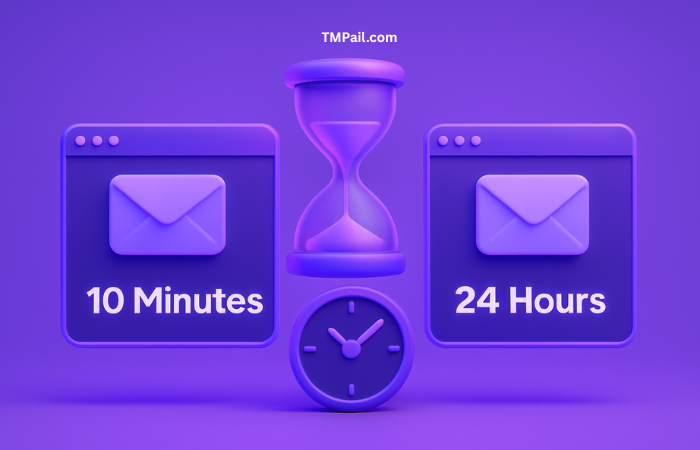
The typical lifespan of temporary email addresses varies wildly depending on the provider. On average, you can expect an inbox to last anywhere from 10 minutes to 24 hours. Services like 10MinuteMail give you precisely ten minutes, while others like GuerrillaMail might let you stretch the clock a bit.
However, the downside is that these time-limited email accounts can vanish before you're done using them. If you're waiting for a delayed confirmation link or a support reply, your inbox may already be gone. That’s why understanding temp email expiration time is essential before you rely on it.
Do All Temp Mail Services Have the Same Expiry Time?
Not at all. There are differences in duration across services that you need to consider. One provider might give you 60 minutes by default, while another offers a refresh button to extend temp email duration by an extra 10. Let’s take a quick look at a few well-known options:
Service | Lifespan | Extension Option | Custom Domains |
|---|---|---|---|
| 10MinuteMail | 10 minutes | Yes | No |
| TempMail | 60 minutes | No | No |
| TMPail | Custom-controlled | Yes | Yes |
| GuerrillaMail | 60 minutes+ | Yes | Limited |
As you can see, "temporary email providers like 10MinuteMail or TempMail" follow strict durations, but options like TMPail allow more flexibility through domain forwarding and control.

Can You Extend the Life of a Temporary Email?
Yes, and it makes a big difference. Some platforms let you hit a button to add more time, but those are usually capped. If you need your inbox to last days or even indefinitely, you’ll want something stronger. TMPail lets you use a custom domain that keeps forwarding emails to your real inbox.
This is especially useful when you’re managing accounts, newsletters, or software trials. You maintain control, avoid spam, and still get the benefit of a temporary email extension. So, if you’re wondering "can I reuse a temporary email?", the answer is yes—with the right tool.
What Happens After a Temp Email Expires?
Once the temporary inbox time limit is up, the service wipes it clean. All messages are deleted, and the address is recycled or discarded. You can’t access it again unless you copied the messages in time.
That means anything important in that inbox is gone. Password resets? Support replies? Forget it. The expiration of temp email addresses is final and irreversible. So always double-check the time limit before relying on one.
Risks of Using Short-Lived Temp Emails
Let’s be honest—risks of short-duration email usage are very real. If you’re dealing with logins, sensitive data, or transactions, don’t use a basic temp inbox. These services often lack encryption, and domains can get blacklisted if abused.
That means even legitimate emails might never reach you. And don’t forget: spammers and hackers use disposable email durations too. The last thing you want is to share a domain that’s already flagged. For safety, always use a secure alternative to temporary email, like a domain-based forwarding alias with TMPail.
Alternatives: Custom Domains and Forwarding for Better Control
If you want to ditch spam but keep receiving emails, using custom domains for privacy is the move. TMPail offers a smarter approach: link your domain, create aliases like login@yourdomain.com, and forward them securely.
No more worries about temp mail self-deletion. You control the temp mail retention, decide when to expire or rotate, and keep your real inbox clean. This method combines the ease of temp mail with the security of domain ownership.
Best Use Cases for Short and Long-Duration Temp Emails
When you just need to verify an email or grab a discount code, a short-lived email service like 10MinuteMail works fine. Quick, easy, and done in minutes. It’s ideal for temporary email for one-time verifications or quick signups.
But for online accounts, subscriptions, or anything requiring ongoing access, longer durations win. That's where TMPail shines. You can set up clean, branded aliases that feel permanent but can be deleted anytime. Think of it as your personal burn-after-reading email, but smarter.
How to Choose the Right Temp Email Service Based on Duration
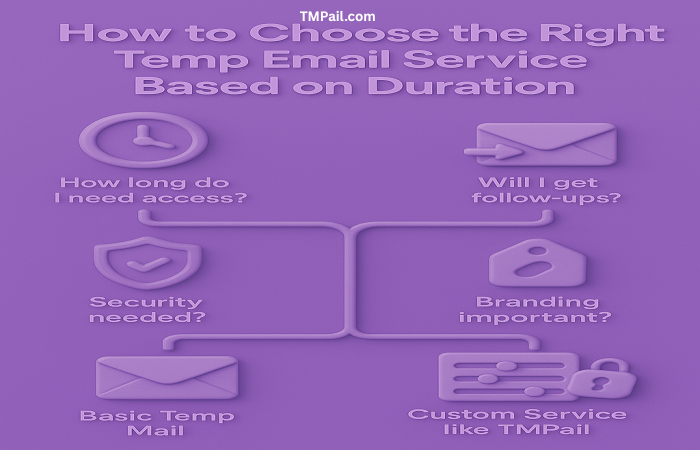
To pick the best fit, ask yourself: how long do I need access? Will I get follow-up emails? Do I care about branding or security? The answers will guide your choice. For one-offs, basic temp mail will do. But if you want control and flexibility, go with a service like TMPail.
Some services offer nothing more than a countdown. Others let you refresh or forward. TMPail gives you full power—temporary email validity on your terms, tied to your domain. That’s real privacy with convenience baked in.
Final Thoughts: Balancing Convenience and Security with Temp Mail
So, how long does a temp mail last? It depends. Some expire in minutes, others in hours. But the real question is: what do you need it for? If you care about security, privacy, and long-term use, it’s worth going beyond basic tools.
Skip the clutter, avoid spam, and take back control. With TMPail, you get the simplicity of temp mail plus the power of custom domains. Say goodbye to sketchy inboxes and hello to smart, safe email privacy.
FAQ
Q1: How long does a temporary email last?
Most temporary emails last between 10 minutes to 24 hours, depending on the provider. Services like 10MinuteMail offer exactly 10 minutes, while others like TMPail allow you to control and extend temp email duration using your own domain.
Q 2: Can I extend the life of a temporary email address?
Yes, some platforms allow you to extend temporary email duration manually. However, for more flexibility, services like TMPail offer domain-based solutions where you can manage how long each alias stays active.
Q 3: What happens after a temp email expires?
After the temporary inbox time limit expires, the email address is deleted and all messages are erased. This process is automatic and irreversible. If you didn’t back up important messages, they’re gone for good.
Q 4: Are there risks in using short-lived temp email services?
Yes. Common risks of short-duration email usage include missing important follow-up emails, blacklisted domains, and limited security. Free services often lack encryption and may reuse expired inboxes.
Q 5: What’s the best alternative to basic temporary email services?
The best alternative is using a custom domain with email forwarding via services like TMPail. This gives you control over your email aliases, longer retention, and privacy without sacrificing convenience.